Real Examples
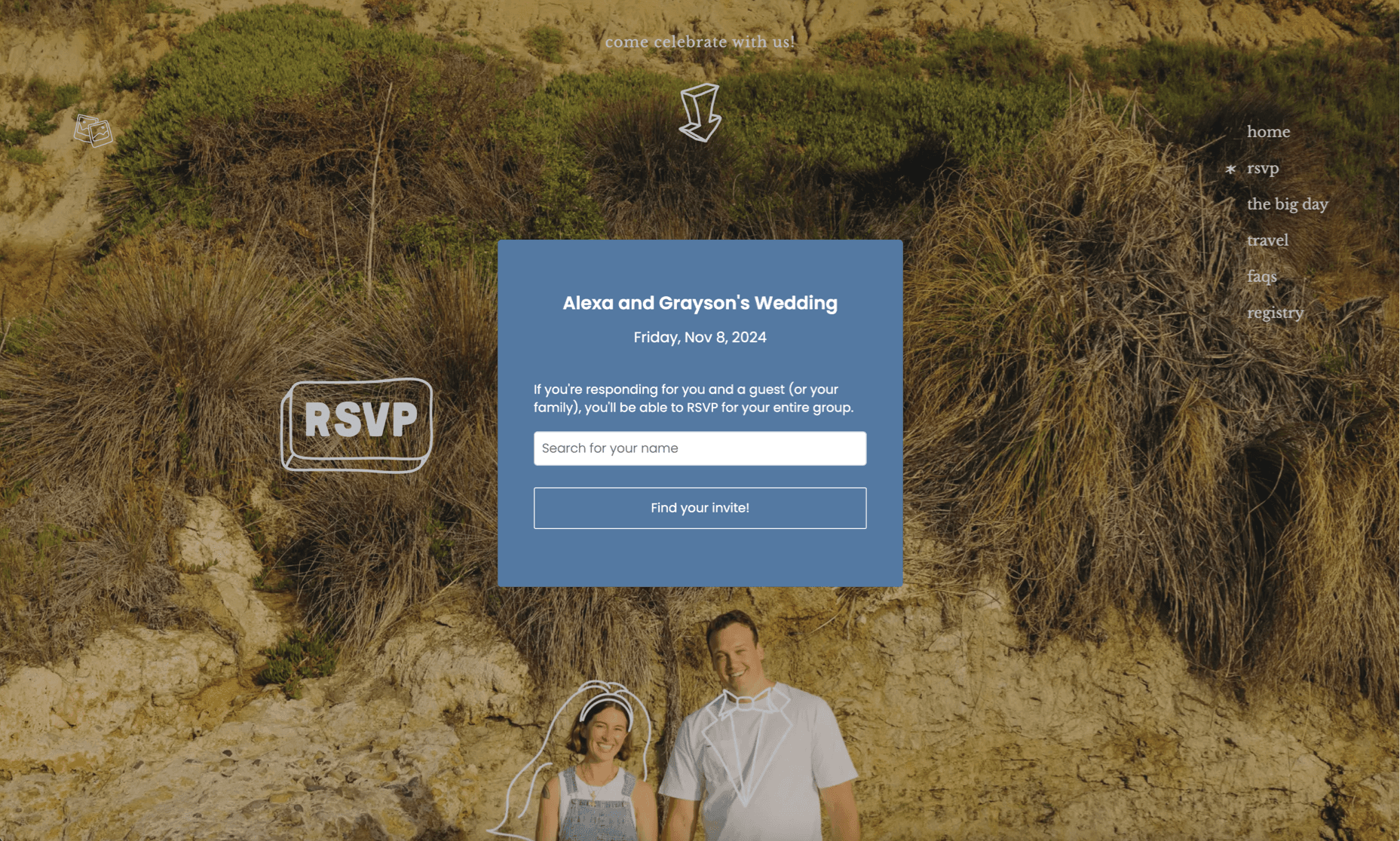
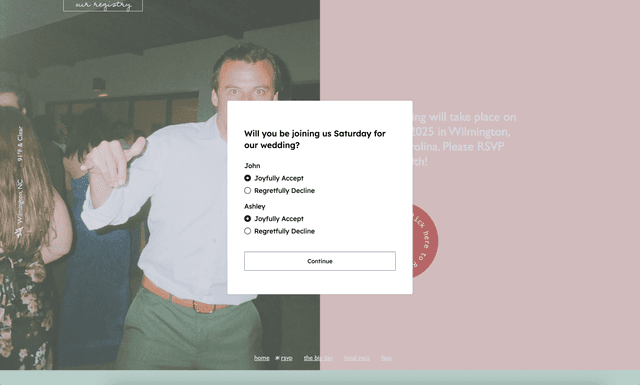
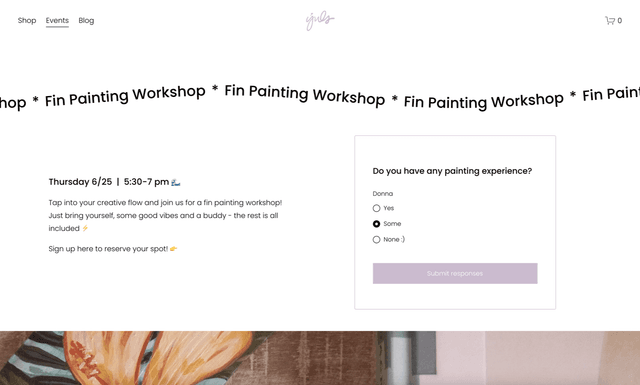
Our forms can be styled to match any website aesthetic. Here are some examples from real users:
Ready-to-Copy Styles
Click any style to preview it live, then browse the CSS below to get ideas + inspiration. Use them as a jumping off point or just copy directly!
Default
Clean and minimal - works with any site
Elegant
Refined serif typography with warm cream tones
Palm Springs
Bold retro vibes with coral and burgundy
Limoncello
Playful cabana stripes with Mediterranean flair
This is a live preview — try interacting with the form!
CSS for Default Style
#widget-oursvp #my-rsvp {
  --bg-color: #ffffff;
  --text-color: #1a1a1a;
  --heading-color: #1a1a1a;
  --date-color: #6b7280;
  --accent-color: #1a1a1a;
  --button-bg-color: transparent;
  --button-text-color: #1a1a1a;
  --border-color: #1a1a1a;
  --button-shape: 2px;
}
How to Use These Styles
Preview and experiment
Click any style above to see it applied to the live preview. Try different options until you find one you like.
Copy the CSS or Canva URL
Click "Copy CSS" to get the stylesheet for your site, or "Copy Canva URL" if you're using Canva. For Canva, you'll paste this URL into the ouRSVP app to apply the new styling.
Add to your site
For CSS: Paste into your site's stylesheet, or add it in a <style> tag. On Squarespace, use Design → Custom CSS. On Wix, use the Custom Code section.
For Canva: Copy the Canva URL, then in your ouRSVP Canva app, paste the new URL to update your form's appearance.
Make it yours
These styles are starting points, not finish lines. Grab what you like, remix it, and build on it with your own flair.
🤔 Troubleshooting tip: Depending on where your CSS loads relative to the widget styles, you may need to increase specificity by adding more parent selectors. You can also add !important to override defaults.
🤓 Good to know: You might notice that when you embed the form on your site, your fonts will already carry over. This is by design - ouRSVP is built so that if you have font styles applied to the body, headings or paragraphs, your form will inherit these styles.
Need help designing your form?
Want styling that perfectly matches your existing website? Copy this prompt and paste it into Claude, ChatGPT, or Gemini along with a screenshot of your site. The AI will analyze it and generate matching CSS.
Generate CSS to style an ouRSVP form widget to match my website. I've attached a screenshot (you can also try pasting your URL).

**Output this exact format:**

```css
#widget-oursvp #my-rsvp {
  --bg-color: #ffffff;          /* form background */
  --text-color: #1a1a1a;        /* body text */
  --heading-color: #1a1a1a;     /* title */
  --date-color: #6b7280;        /* date */
  --accent-color: #1a1a1a;      /* radio buttons, links */
  --button-bg-color: #ffffff;   /* button fill */
  --button-text-color: #1a1a1a; /* button text */
  --border-color: #1a1a1a;      /* button border */
  --button-shape: 2px;          /* button border-radius */
  --button-border-width: 1px;
}

#my-rsvp .rsvp-title { /* title: text-transform, letter-spacing, font-size */ }
#my-rsvp .rsvp-date { /* date: font-style, text-transform, font-size */ }
#my-rsvp .rsvp-font, #my-rsvp .rsvp-font label { /* body text, labels */ }
#my-rsvp .rsvp-btn { /* buttons: padding, letter-spacing, text-transform */ }
#my-rsvp .rsvp-btn:hover { /* hover state */ }
#my-rsvp .rsvp-form input[type=text] { /* text inputs */ }
```

Extract colors from my screenshot and match the site's aesthetic (text-transform, letter-spacing, button style, etc). Fonts are inherited automatically.
📸 Use a Screenshot
Attach a screenshot of your website. AI can extract colors more accurately from images than from URLs.
🔤 Fonts Are Automatic
Your form will inherit fonts from your site automatically. Focus on getting the colors and button styles right.
🔄 Iterate
Not perfect on the first try? Ask the AI to adjust: "make buttons more rounded" or "use a lighter background".
CSS Reference
Here are all the CSS custom properties and class selectors you can use to style your form.
CSS Variables
--bg-colorForm background--text-colorBody text--heading-colorTitle text--date-colorDate text--accent-colorRadio buttons, links--button-bg-colorButton background--button-text-colorButton text--border-colorButton border--button-shapeBorder radius--button-border-widthBorder thicknessClass Selectors
#my-rsvpCard container.rsvp-formForm element.rsvp-titleEvent title.rsvp-dateEvent date.rsvp-fontBody text, labels.rsvp-btnAll buttons.rsvp-inputText inputsinput[type=radio]Radio buttonsinput[type=text]Text fieldsReady to Build Your Own?
Create your RSVP form and customize it to match your site perfectly. $5/month flat - unlimited guests, no hidden fees.