How to Embed an RSVP Form on Your Website
An embedded RSVP form is a web-based form that collects guest responses directly on your website without redirecting visitors to an external page. Guests can confirm attendance, select meals, add plus-ones, and answer custom questions while staying on your domain.
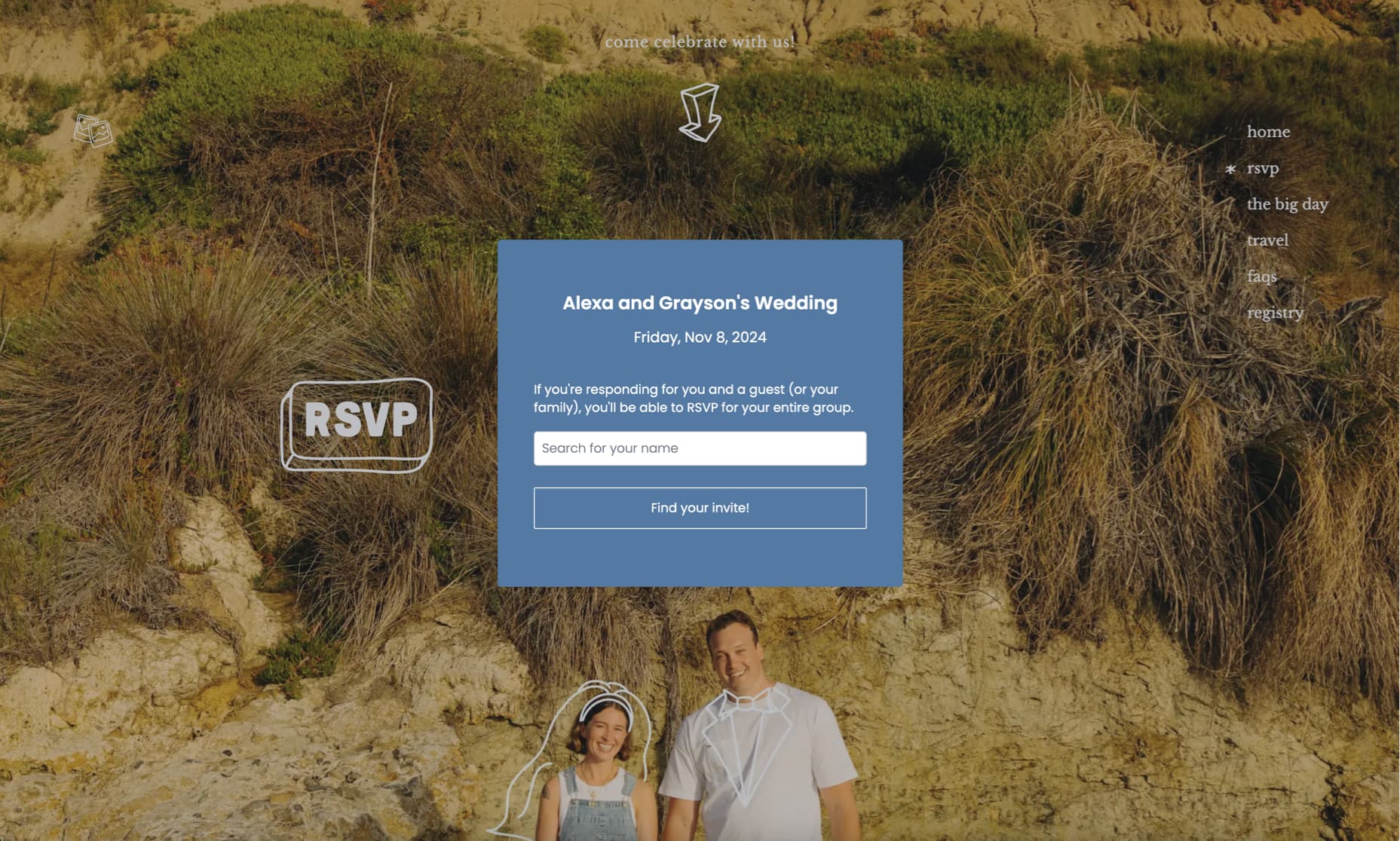
Quick Answer: How to Embed an RSVP Form
To embed an RSVP form on your website: 1) Create an account with an RSVP service like ouRSVP, 2) Set up your event and customize your form, 3) Copy the embed code from your dashboard, 4) Add a code block or embed element in your website editor, 5) Paste the code and publish. The form appears on your page and syncs responses in real-time.
Works with: Squarespace, Wix, Webflow, WordPress, Canva, and any custom HTML site
What is an Embedded RSVP Form?
An embedded RSVP form (also called an RSVP widget or RSVP embed) is a web-based form that event organizers add directly to their website to collect guest responses. Unlike standalone RSVP pages that require visitors to leave your site, an embedded form integrates seamlessly into your existing page design.
The form is powered by an RSVP service (like ouRSVP, RSVPify, or others) but appears as a native part of your website. When guests submit their response, the data syncs automatically to your dashboard where you can manage guest lists, track attendance, and export information.
What an embedded RSVP form can collect:
- →Attendance confirmation (yes/no/maybe)
- →Guest names and contact info
- →Meal selections and dietary needs
- →Plus-one information
- →Song requests
- →Transportation and accommodation needs
- →Custom questions (any question you need)
- →Conditional responses (show/hide based on answers)
Why Embed an RSVP Form Instead of Linking?
When planning an event, you have two options for collecting RSVPs online: send guests to an external RSVP page, or embed the form directly on your website. Here's why embedding is often the better choice:
Guests stay on your site
No redirects to external pages. Your carefully designed website remains the entire experience.
Higher completion rates
Fewer clicks means fewer drop-offs. Guests are more likely to complete RSVPs when the form is right there.
Consistent branding
Style the form to match your site. Colors, fonts, and buttons all look intentional.
Professional appearance
A seamless experience signals attention to detail — something guests notice for weddings and important events.
How to Embed an RSVP Form (General Steps)
These steps work for most website platforms. See platform-specific guides below for detailed instructions.
Create Your RSVP Form
Sign up for an RSVP service like ouRSVP. Create your event, add your questions (meal selections, plus-ones, custom questions), and configure your settings. Most services let you preview the form before embedding.
Get Your Embed Code
In your RSVP dashboard, look for "Embed", "Share", or "Widget" options. Copy the embed code snippet — this is typically a small piece of JavaScript or HTML that loads your form. With ouRSVP, you'll find this in the dashboard under your event settings.
Add a Code Block to Your Page
In your website editor, navigate to the page where you want the form. Add an embed or code element:
- Squarespace: Add Block → Code
- Wix: Add (+) → Embed Code → Embed HTML
- Webflow: Add Element → Components → Embed
- WordPress: Add Block → Custom HTML
- Canva: Apps → Search "ouRSVP"
Paste Your Embed Code
Paste the embed code you copied into the code editor. Save your changes. On most platforms, the form won't display in edit mode — you'll need to preview or publish to see it.
Customize and Test
Preview your page to verify the form displays correctly. Adjust colors and styling in your RSVP dashboard to match your website design. Submit a test RSVP to confirm responses are being recorded.
Tip: Always test on both desktop and mobile before sharing with guests.
Platform-Specific Embed Guides
We've created detailed step-by-step tutorials for each major website platform:
What Does RSVP Embed Code Look Like?
Here's an example of typical RSVP embed code. This snippet loads the form and connects it to your event:
<div id="rsvp-widget"></div>
<script>
  (function (w, d, s, o, f, js, fjs) {
    w[o] = w[o] || function () {
      (w[o].q = w[o].q || []).push(arguments)
    };
    js = d.createElement(s);
    fjs = d.getElementsByTagName(s)[0];
    js.id = o;
    js.src = f;
    js.async = 1;
    fjs.parentNode.insertBefore(js, fjs);
  }(window, document, 'script', 'oursvp',
    'https://www.oursvp.app/widget/widget.js'));

  oursvp('init', {
    element: document.getElementById('rsvp-widget'),
    eventId: 'YOUR_EVENT_ID'
  });
</script>
You don't need to understand this code — just copy it from your dashboard and paste it into your website. The form handles everything else automatically.
Comparing Embeddable RSVP Form Tools
Not all RSVP services support embedding. Here's how the options compare:
| Feature | ouRSVP | RSVPify | Google Forms |
|---|---|---|---|
| Embeddable | Paid plans only | ||
| Price | $5/month | $15/month (for embeds) | Free |
| CSS customization | Full control | Preset themes only | Very limited |
| Plus-ones | Manual setup | ||
| Meal selections | Manual setup | ||
| Guest dashboard | Spreadsheet only | ||
| Tags & conditional logic | Business plan ($29+) | ||
| Mobile responsive | |||
| Appearance | Matches your site | RSVPify branding | Google branding |
Customizing Your Embedded RSVP Form
The best embedded RSVP forms blend seamlessly with your website design. Here's what you can typically customize:
Colors
Background color, text color, heading color, button colors, accent colors, and border colors.
Typography
Font family, font sizes, font weights, and text alignment to match your site's typography.
Buttons
Button shape (rounded, square, pill), button size, hover effects, and button text.
Layout
Form width, padding, spacing between elements, and responsive behavior.
CSS Customization with ouRSVP
ouRSVP offers full CSS customization through CSS variables. You can override any style property including colors, fonts, borders, and spacing. This level of control isn't available with most RSVP services — RSVPify, for example, limits you to preset themes.
Troubleshooting Embedded RSVP Forms
Form not showing on my page?
Most website editors don't display embedded content in edit mode. Click "Preview" or "Publish" to see your form. Also verify you selected the correct code type (HTML/JavaScript, not URL or oEmbed).
Form is cut off or too small?
Resize the embed container in your website editor to give the form more space. RSVP forms with multiple questions need adequate height. Most forms work best at full page width.
Form not loading on Safari?
Some Squarespace 7.0 templates have Ajax loading enabled by default, which can interfere with embeds. Disable Ajax loading in your Squarespace settings under Design → Site Styles.
Styling doesn't match my site?
Adjust colors and fonts in your RSVP dashboard settings. With ouRSVP, you can use CSS variables to override any style. Re-embed after making changes if using cached embed code.
Responses not appearing in dashboard?
Check that your event ID in the embed code matches your dashboard event. Test with a fresh incognito window to rule out caching issues. Contact your RSVP provider's support if the issue persists.
Frequently Asked Questions
What is an embedded RSVP form?
An embedded RSVP form is a web-based form that collects guest responses directly on your website without redirecting visitors to an external page. Guests can confirm attendance, select meals, add plus-ones, and answer custom questions while staying on your domain. The form is powered by an RSVP service but appears seamlessly integrated within your site's design.
How do I embed an RSVP form on my website?
To embed an RSVP form: 1) Create an account with an RSVP service like ouRSVP, 2) Set up your event and customize your form, 3) Copy the embed code from your dashboard, 4) In your website editor, add a code block or embed element, 5) Paste the embed code and save. The form will appear on your page and sync responses to your dashboard in real-time.
Can I embed an RSVP form on Squarespace?
Yes, you can embed an RSVP form on Squarespace using a Code Block. Navigate to the page where you want the form, click "Add Block", select "Code", paste your RSVP embed code, and save. The form will display on your published site. Squarespace 7.0 and 7.1 both support code embeds.
Can I embed an RSVP form on Wix?
Yes, you can embed an RSVP form on Wix using the HTML embed element. In the Wix Editor, click "+" (Add), go to "Embed Code" → "Embed HTML", paste your RSVP code, and adjust the size of the container. Both Wix Editor and Wix Studio support HTML embeds.
What is the best embeddable RSVP form for weddings?
The best embeddable RSVP form for weddings depends on your needs. ouRSVP ($5/month) offers full CSS customization and works on any platform. RSVPify ($15/month for embeds) has more features like seating charts. Google Forms is free but looks generic and lacks wedding-specific features like plus-ones and meal selections.
How much does it cost to embed an RSVP form?
Costs vary by provider: Google Forms is free but limited. ouRSVP costs $5/month with full embed and customization features. RSVPify charges $15/month for embed functionality. Some services charge per guest or per event. ouRSVP's flat $5/month includes unlimited guests and full CSS customization.
Can I customize an embedded RSVP form to match my website?
Yes, most RSVP services allow customization. ouRSVP offers full CSS customization including colors, fonts, button styles, and spacing. Some services like RSVPify limit styling to preset themes. Google Forms offers minimal customization. For the best visual integration, choose a service with CSS access.
Do embedded RSVP forms work on mobile devices?
Yes, modern embedded RSVP forms are fully responsive and work on mobile devices, tablets, and desktop computers. The form automatically adjusts to fit any screen size. Guests can RSVP easily from their phones. Always test your embedded form on mobile before sharing with guests.
What information can an RSVP form collect?
RSVP forms can collect: attendance confirmation (yes/no/maybe), guest names, meal selections, dietary restrictions, plus-one information, song requests, transportation needs, accommodation preferences, and any custom questions you add. Advanced forms support conditional logic to show different questions based on responses.
More than the RSVP form.
ouRSVP Pro adds two features beyond the embeddable widget: email your guest list directly from the dashboard, and build a drag-and-drop seating chart that syncs with your RSVPs. Both included for $15/month.
Related Guides
Ready to Embed an RSVP Form on Your Site?
Set up your event in minutes. Starting at $5/month — no per-guest fees, full CSS customization.
Get startedWorks with Squarespace, Wix, Webflow, WordPress, Canva, and any custom site