How to Add an RSVP Form to Your Wix Website
Embed a fully customizable RSVP form on your Wix site in minutes. Works with Wix Editor and Editor X.
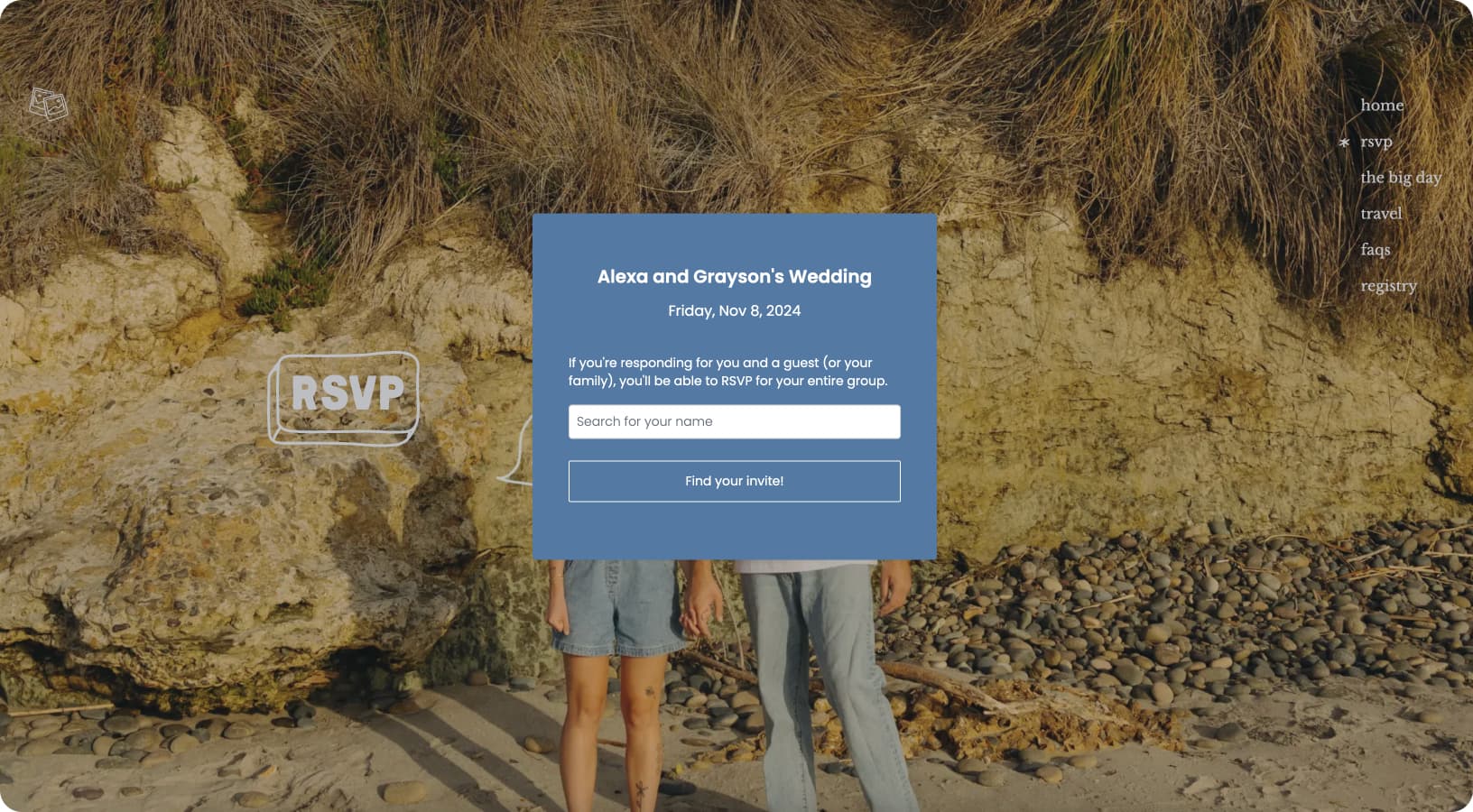
Why Add an RSVP Form to Your Wix Site?
Wix makes it easy to build beautiful wedding websites, but collecting RSVPs can be tricky. Wix's built-in forms are basic — they collect submissions but don't give you proper guest management, meal tracking, or plus-one handling.
With an embedded RSVP form from ouRSVP, your guests can respond directly on your Wix site without being redirected elsewhere. You get a real guest management dashboard with meal counts, dietary restrictions, response rates, and export options.
Best of all, the form can be styled to match your Wix template perfectly — your guests won't even know it's a third-party tool.
What You'll Need
- →A Wix website (free or premium plan)
- →An ouRSVP account with your event created
- →Your embed code snippet (found in your ouRSVP dashboard)
Note: HTML embeds work on all Wix plans, including free. However, free plans show Wix ads on your site.
Step-by-Step Instructions
Open the Wix Editor
Log in to your Wix account and open the Editor for your wedding website. Navigate to the page where you want to add your RSVP form — typically a dedicated "RSVP" page.
Add an HTML Embed Element
Click the + (Add) button on the left sidebar. In the menu:
- Look for "Embed Code" (you may need to scroll down)
- Click "Embed HTML"
In Editor X (Wix Studio), go to Add → Embed → HTML embed
Position and Size the Embed
A gray box will appear on your page. Drag it to where you want your RSVP form. Important: Resize the box to give your form enough room — we recommend at least 400px wide and 600px tall to start. You can adjust later.
Enter Your ouRSVP Code
Click the embed element and select "Enter Code". Choose the "Code" option (not URL). Paste your ouRSVP code snippet:
<div id="rsvp-widget"></div>
<script>
  (function (w, d, s, o, f, js, fjs) {
    w[o] = w[o] || function () { (w[o].q = w[o].q || []).push(arguments) };
    js = d.createElement(s), fjs = d.getElementsByTagName(s)[0];
    js.id = o; js.src = f; js.async = 1; fjs.parentNode.insertBefore(js, fjs);
  }(window, document, 'script', 'oursvp', 'https://www.oursvp.app/widget/widget.js'));
  oursvp('init', {
    element: document.getElementById('rsvp-widget'),
    eventId: 'YOUR_EVENT_ID'
  });
</script>
Make sure the <div id="rsvp-widget"> element comes before the script. Replace YOUR_EVENT_ID with your actual event ID from the dashboard.
Apply and Publish
Click "Apply" (or "Update") to save your changes. The embed may show a placeholder or look different in the editor — this is normal.
Click "Publish" in the top right corner and visit your live site to see your RSVP form in action.
Wix-Specific Tips
Height Matters
Wix embed elements have fixed heights. If your form is cut off, select the embed element and drag the bottom edge to make it taller. A good starting height is 600-800px.
Mobile View
Wix has separate desktop and mobile editors. After setting up your form on desktop, switch to mobile view (phone icon) and adjust the embed size for mobile screens.
Editor X / Wix Studio
Using the newer Editor X? The process is the same, but you'll find the HTML embed under Add → Embed → HTML embed. Editor X embeds are more flexible with responsive sizing.
Customizing Your Form
ouRSVP forms use CSS custom properties (variables) that you can override to match your Wix template. The form is scoped under #widget-oursvp with semantic class names.
Key CSS Classes
.rsvp-surveyThe main form container.rsvp-titleEvent title and headings.rsvp-dateEvent date display.rsvp-fontBody text and labels.rsvp-btnButtons (submit, continue, etc.)Adding Custom CSS
Add a <style> block before your embed code to override the default styles:
/* Override CSS variables for colors */
#widget-oursvp {
  --bg-color: #fff;
  --text-color: #333;
  --heading-color: #000;
  --accent-color: #667eea;  /* For radio buttons, links */
  --button-bg-color: #667eea;
  --button-text-color: #fff;
  --border-color: #e0e0e0;
  --button-shape: 25px;  /* Rounded buttons */
  --button-border-width: 0px;
}

/* Style the submit button */
#widget-oursvp .rsvp-btn {
  text-transform: uppercase;
  letter-spacing: 1px;
  font-weight: 500;
}

/* Style form inputs */
#widget-oursvp .rsvp-survey input[type="text"] {
  border-radius: 8px;
  border: 2px solid #e0e0e0;
}

/* Style headings to match your Wix font */
#widget-oursvp .rsvp-title {
  font-family: inherit;
}
Tip: Use #widget-oursvp as the prefix to ensure your styles override the widget's base styles. You can also customize colors directly in your ouRSVP dashboard.
Using the Playground to Preview Styles
The easiest way to customize your form is using the ouRSVP playground. This lets you preview style changes in real-time before applying them to your live form.
- Go to your ouRSVP dashboard and open your event
- Navigate to the Playground tab to access the style editor
- Adjust colors, fonts, button styles, and other visual options — changes appear instantly in the preview
- Once you're happy with the look, click "Copy Code" to get your updated embed snippet
- Replace the old code in your Wix HTML embed with this new snippet
Troubleshooting
Form not appearing after publish?
Clear your browser cache and try viewing in an incognito window. Also check that you clicked "Apply" after pasting the code.
Form is cut off or too small?
Select the embed element in the Wix editor and resize it. Make sure the element is tall enough (at least 600px) to show the full form.
Form looks different on mobile?
Switch to mobile view in the Wix editor (phone icon in top bar) and adjust the embed element's size and position separately for mobile.
Code editor won't accept the code?
Make sure you selected "Code" mode, not "URL" mode. Also check that you copied the full code snippet including both the div and script tags.
Form shows in editor but not on live site?
This can happen if your site isn't published. Click "Publish" in the top right to push your changes live.
Frequently Asked Questions
Can I customize the RSVP form to match my Wix theme?
Yes! ouRSVP forms support full CSS customization. You can style colors, fonts, buttons, and spacing to match your Wix template perfectly.
Does the RSVP form work on mobile?
Yes, ouRSVP forms are fully responsive. Just make sure to check your embed element's size in Wix's mobile editor view.
Does this work with Wix Editor X / Wix Studio?
Yes, ouRSVP works with both the classic Wix Editor and the newer Editor X (Wix Studio). The embed process is nearly identical.
Is there a free Wix plan that supports embeds?
Yes, Wix's free plan supports HTML embeds. However, free sites display Wix branding. For a professional wedding site, we recommend a premium Wix plan.
Can guests add plus-ones and meal selections?
Yes! ouRSVP supports plus-ones, meal selections, dietary restrictions, and custom questions. Configure everything in your ouRSVP dashboard.
How do I export my guest list?
Your ouRSVP dashboard lets you view all responses in real-time and export to CSV for seating charts, caterer counts, and more.
My custom styles aren't working. What should I check?
If your styling changes aren't appearing on your live form, try these steps:
- Did you copy the updated code snippet? If you customized styles in the playground, you need to copy the new embed code and replace the old one in Wix.
- Are your CSS selectors specific enough? Make sure to prefix your selectors with
#my-rsvpto ensure they override the default styles. - Try adding
!importantto your CSS rules if they're still not applying. For example:color: #333 !important; - Clear your browser cache or try viewing the page in an incognito window to ensure you're seeing the latest version.
- Check for typos in your CSS property names or values.
What You Can Do with ouRSVP
Guest Management
Track RSVPs in real-time, see who's coming, and export your guest list.
Meal Selection
Let guests choose their meal preference and track dietary restrictions.
Plus-Ones
Allow guests to add additional attendees with their own details.
Custom Questions
Add any questions you need — song requests, transportation, accommodations, etc.
More than the RSVP form.
ouRSVP Pro adds two features beyond the embeddable widget: email your guest list directly from the dashboard, and build a drag-and-drop seating chart that syncs with your RSVPs. Both included for $15/month.
Related Guides
Ready to Add RSVPs to Your Wix Site?
Set up your event in minutes. Starting at $5/month. No per-guest fees, ever.
Get startedWorks with Wix, Squarespace, Webflow, WordPress, and any custom site