The Best RSVP App for Weddings (2026)
The best RSVP app depends on where your wedding lives. If you built your own site, you want something that embeds cleanly. If you use a template, you want it built in. This guide compares the six most-used RSVP apps for weddings so you can pick the one that fits how you're actually planning.
Quick Answer: Which RSVP App Is Best?
For custom wedding websites (Squarespace, Wix, Webflow, Canva, WordPress), ouRSVP is the best fit at $5 per month with full design control. For template-based sites, Joy or Zola are strong free options. For corporate or high-guest-count events, RSVPify is worth the premium. For a truly free bare-bones option, Google Forms works but has no wedding features.
What to Look for in a Wedding RSVP App
Before comparing apps, know what actually matters. These are the features couples end up needing (and not needing):
Unlimited guests, no per-guest fees
Some tools price per invitee. For a 150-guest wedding, that adds up fast. Look for flat monthly pricing.
Meal, dietary, and plus-one questions
If your caterer needs headcounts per meal, your RSVP tool has to support it. Generic form tools (Google Forms) require manual counting; wedding-specific tools do it automatically.
Embed on your own website
If you built a custom wedding site, you don't want to send guests to a different URL with a different look. Embed support is a hard requirement here.
Design control (CSS or theming)
A form that clashes with the rest of your site breaks the guest experience. Some tools let you match colors and fonts; others force their branding.
Guest management dashboard
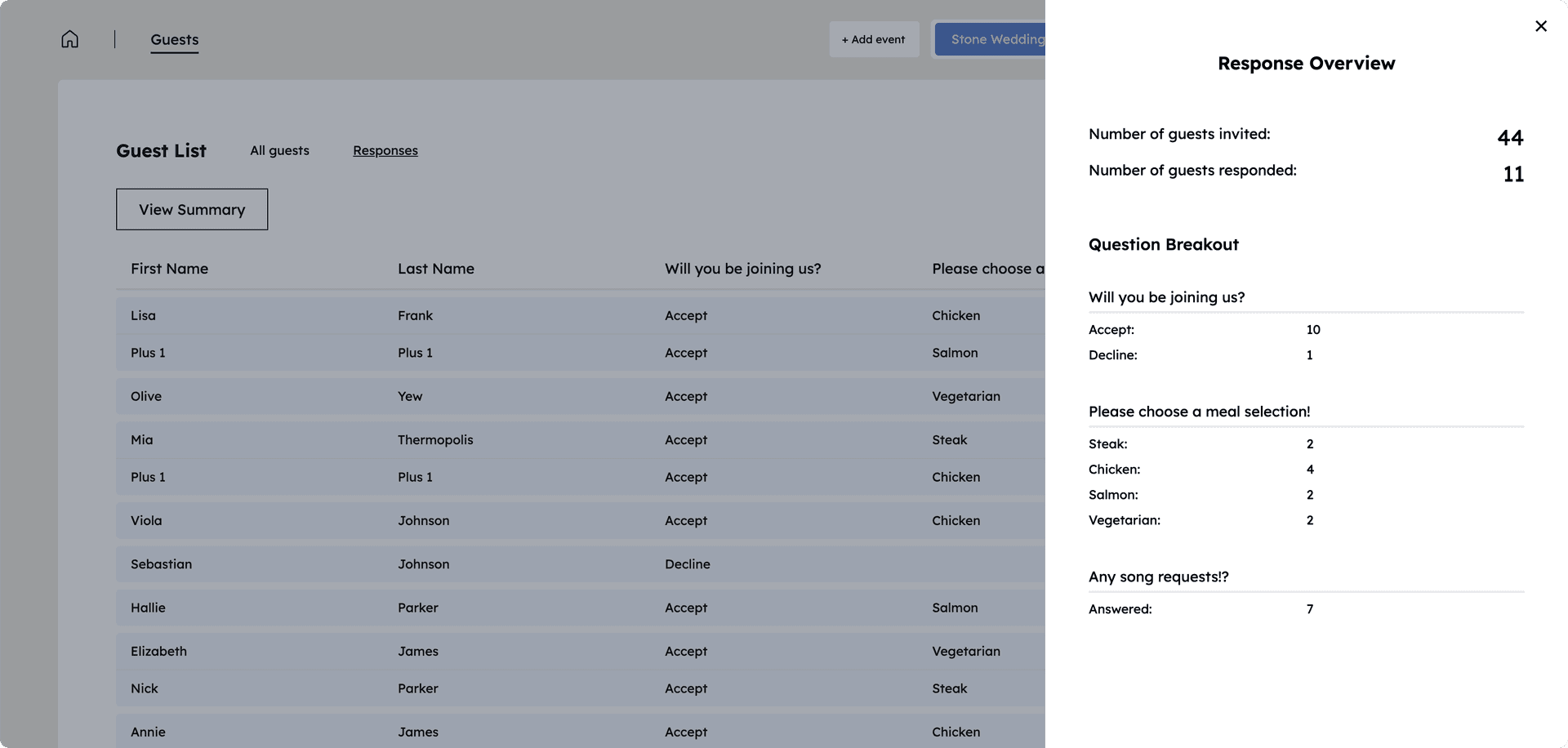
You need to see who's coming, what they're eating, and who hasn't responded yet. Some tools give you a real dashboard; others just email you each response.
Email or messaging built in
Nice to have, not required. If your app can email non-responders or send week-of details, you save yourself a separate Mailchimp setup.
The 6 Best RSVP Apps for Weddings (2026)
1. ouRSVP
$5/mo (Basic), $15/mo (Pro)Built specifically for couples with custom wedding websites. Embeds cleanly on Squarespace, Wix, Webflow, Canva, and WordPress. Full CSS control so it matches your design. Pro tier adds email blasts and a seating chart.
2. Joy
FreeFree all-in-one wedding website with a built-in RSVP tool. Nice templates and a polished mobile experience. The catch: your wedding site has to be on Joy. You can't use the RSVP alone on a Squarespace or Wix site.
3. Zola
FreeFree wedding website plus registry plus RSVP, all bundled. Best if you want everything under one login. Same limitation as Joy: your wedding site has to be on Zola for the RSVP tool to work.
4. The Knot
FreeThe biggest name in wedding planning. Free wedding website with RSVP, vendor booking, planning tools, and a registry. Broadest feature set, but the templates feel dated and you can't use the RSVP tool outside The Knot ecosystem.
5. RSVPify
Free tier / $15+/moEnterprise-oriented RSVP tool. Serves corporate events, festivals, and large weddings. Powerful features like check-in and seating, but the pricing scales fast. Embeds require a paid plan starting at $15/month.
6. Google Forms
FreeNot a wedding tool, but people use it. Free, flexible, and works with any Gmail account. The catch: no meal-tracking logic, no plus-one handling, no dashboard summarizing RSVPs. You'll be in Google Sheets doing headcounts manually.
Side-by-Side Comparison
At a glance across the six most-used options:
| Feature | ouRSVP | Joy / Zola / Knot | RSVPify | Google Forms |
|---|---|---|---|---|
| Embed on your own site | Paid plans | |||
| Full CSS control | Limited | Basic only | ||
| Meal + plus-one questions | Manual | |||
| Unlimited guests | Paid plans | |||
| Guest management dashboard | ||||
| Email guests / blast | Pro tier | |||
| Price | $5-$45/mo | Free (locked) | $15+/mo | Free |
Which RSVP App Is Right for You?
🎨 You built a custom wedding site. Squarespace, Wix, Webflow, Canva, or WordPress. ouRSVP is the only one that embeds cleanly with full design control. Others force you off your site.
📄 You want a template + registry all-in-one. Joy or Zola are the cleanest. Free, polished mobile, and the RSVP is built in.
🏢 You're planning a corporate event or 500-guest wedding. RSVPify has the enterprise features (check-in, badges, seating imports) that couples don't need but corporate planners do.
💸 You want the cheapest option and don't care about polish. Google Forms works. Expect to build your own dashboard in Sheets.
Frequently Asked Questions
What is the best RSVP app for weddings in 2026?
It depends on your setup. If you built a custom site on Squarespace, Wix, Webflow, Canva, or WordPress, ouRSVP is built for exactly that at $5/month. If you want a template-based all-in-one wedding site, Joy or Zola work well. If you're planning a corporate event, RSVPify has stronger enterprise features. For a bare-bones free option, Google Forms works but looks generic.
Is there a free RSVP app?
Joy, Zola, and The Knot are free but lock you into their templates. Google Forms is free and flexible but has no wedding-specific features. RSVPify has a free tier capped at 100 guests. ouRSVP has a 7-day free trial, then $5/month for unlimited RSVPs.
Which RSVP app works on my own website?
ouRSVP is designed specifically for embedding on custom sites (Squarespace, Wix, Webflow, Canva, WordPress, or any HTML). RSVPify offers embeds on paid plans. Joy, Zola, and The Knot host your site on their platform, so their RSVP tool only works there. Google Forms embeds anywhere but lacks wedding features.
What features should a wedding RSVP app have?
Look for: unlimited guests (no per-guest fees), meal or dietary selection, plus-one support, custom questions, mobile-friendly design, and real-time response tracking. Advanced: email blasts, seating chart integration, CSS customization.
How does ouRSVP compare to RSVPify?
ouRSVP is $5/month (unlimited RSVPs, custom questions, full CSS control) vs. RSVPify at $15+/month for embeddable forms. ouRSVP is built specifically for couples with custom sites. RSVPify is broader (corporate events, festivals) with more enterprise features but costs 3x more for the same core RSVP functionality.
Can I use an RSVP app without a wedding website?
Yes. Most RSVP apps give you a shareable link. With ouRSVP, share the direct RSVP link via text, email, or a QR code on paper invitations. Guests can respond without ever visiting your main site.
How much does an RSVP app cost?
ouRSVP starts at $5/month (unlimited RSVPs), Pro is $15/month (adds email blasts and seating). RSVPify is $15-$39/month. Joy, Zola, and The Knot are free but lock you into their templates. Google Forms is free with no wedding features. Watch for per-guest fees, which add up quickly.
More than the RSVP form.
ouRSVP Pro adds two features beyond the embeddable widget: email your guest list directly from the dashboard, and build a drag-and-drop seating chart that syncs with your RSVPs. Both included for $15/month.
Related Guides
Try the RSVP App Built for Custom Sites
ouRSVP starts at $5/month, unlimited RSVPs, and works on any website. 7-day free trial included.
Get startedWorks with Canva, Squarespace, Wix, Webflow, WordPress, and any custom site